For office managers and dispatchers
Give every crew the next move, and every exception an owner.
You hold the whole operation together with a headset and a steady voice. Most days run fine. The trouble is the exception: the job with no crew, the return trip nobody booked, the approval that stalled for a week. CrewCor makes those visible before they cost you.
CrewCor puts the full week on one board, flags what still needs a date or a crew, and keeps every exception attached to the job it belongs to.

A day with CrewCor
Here is how the day runs once the work lives in one place.
7:30 AM
Read the exceptions first
Unscheduled jobs, schedule conflicts, and approvals that have not moved are listed before the calendar.
8:15 AM
Assign crews and time windows
Drag jobs onto crews on the day, week, or month view. Conflicts show up before a truck rolls.
11:00 AM
Answer the call from the job
Open a job from its block to see the site, access notes, files, and the client's contact in one place.
4:30 PM
Set up tomorrow
Tomorrow's crews, return trips, and outside-scope work are already visible, so the morning starts with a plan.
What you stop doing
The work that keeps pulling you off the job.
- Rebuilding the week from three calendars and a whiteboard
- Finding out a tech is double-booked when they are already on site
- Discovering a return trip after the crew has left
- Chasing materials and PO follow-ups from memory
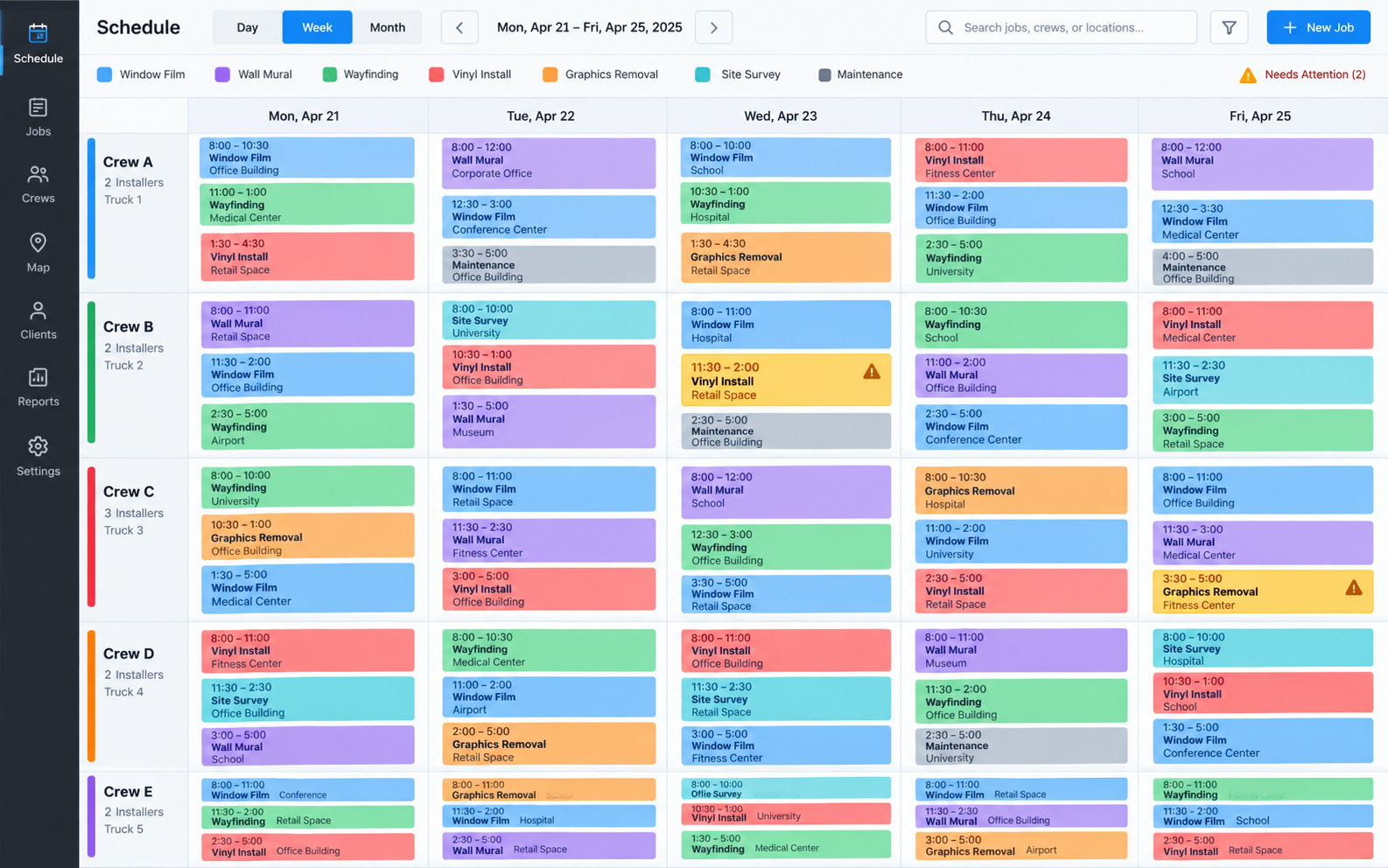

The benefits, in detail
What you actually get, job by job.
01
See the exceptions before they cost you
Unscheduled jobs, schedule conflicts, and approvals that have stalled are listed first, so you can deal with the exception before the crew is on the truck.
02
Keep the week balanced
Crew utilization and labor-hour reporting show who is overloaded and who has room. Drag a job to another crew or time window to fix a double-booking in seconds.
03
Follow up without relying on memory
Materials, PO, and client-approval follow-ups sit in a reviewable chase queue and outbox, so nothing depends on someone remembering to ask.
04
Clear handoffs to every crew
Technicians get their schedule, site directions, and access notes, plus reminders and morning digests, so fewer calls come back to the office.
What changes for you
- See every crew, job, and time window on one board
- Spot unassigned jobs and schedule conflicts early
- Track return trips and outside-scope work
- Follow up on materials, POs, and client approvals
Run your next install with more clarity.
Try CrewCor free for 14 days, running your own jobs.
Start your 14-day free trial